

If you run a business, chances are your days are spent jumping between a dozen different tools. You’ve got your sales CRM in one tab, accounting in another, payroll in a third, and marketing somewhere in between.
Trying to get a clear picture of how your business is actually doing often feels like putting together a 1,000-piece puzzle with half the pieces missing.
That’s exactly why we created YOUnifiedAI. It seamlessly reconciles all your disconnected apps into a single, effortless dashboard, with a smart AI assistant named YOUnie built right in to help you navigate your unified data.
Here’s a simple look at how you can use YOUnifiedAI to save hours every week, cut through the noise, and grow your business with confidence.
1. Getting Started: Setting Up in Under 2 Minutes
We know you don’t have hours to spend reading manuals or setting up complicated software. We designed YOUnifiedAI to be ready in just a few quick clicks:
- Create Your Account: Put in your name, work email, and set a password. We’ll send a quick 6-digit verification code to your email to make sure everything is safe and secure.
- Pick Your Plan: Choose between monthly or annual options, or click “Skip for Now” to jump right in and explore the basic setup.
- Connect Your Everyday Apps: From your dashboard, you can connect the apps you already use every day… like HubSpot, QuickBooks, Gusto, Excel, Broadly, or ServSuite. Just click “Connect,” log in with your credentials, and YOUnie handles the rest!
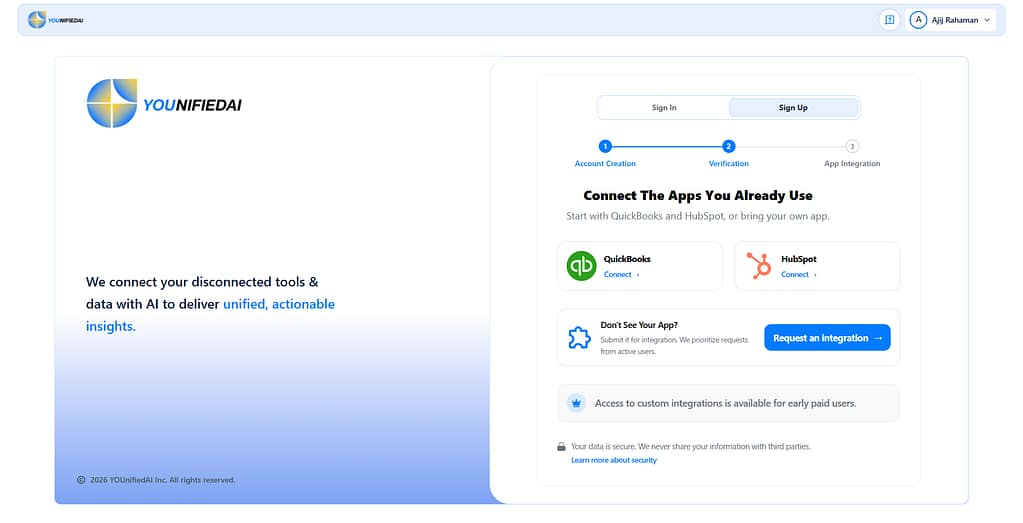
Don’t see an app you use? No problem at all! You can easily submit an integration request directly inside the platform, and our team will prioritize adding it for you.
2. Managing Your Tools All in One Place
Once you’re set up, keeping track of your software is ridiculously easy:
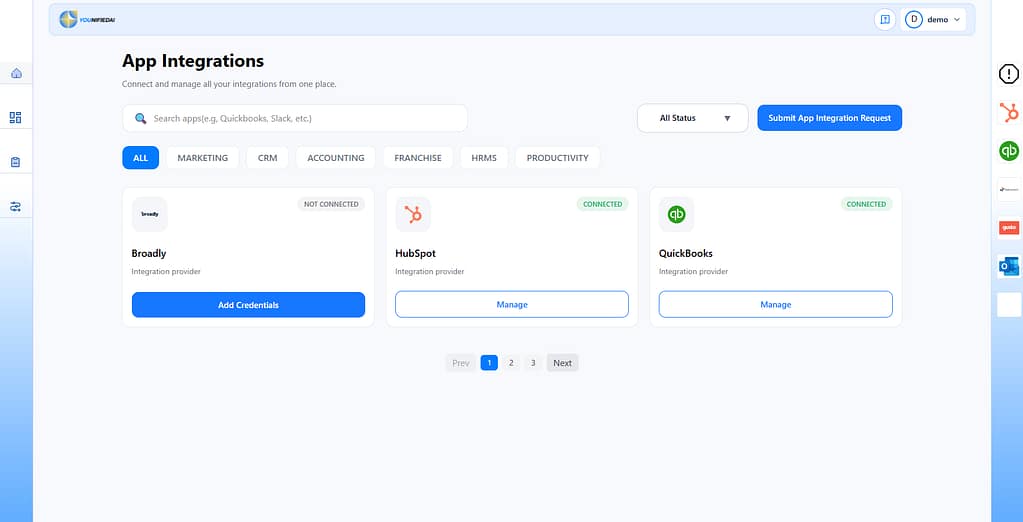
- App Sync Status: On the right sidebar, you’ll always see a clear view of which apps are connected and when they last updated.
- The App Integration Space: Click “View All Apps” to browse by category (Accounting, Marketing, CRM, HR, etc.), search by app name, or filter by connected status. You can manage connections or disconnect apps anytime with a single click.
3. Meet YOUnie: Your AI Assistant That Actually Speaks Plain English
This is where the magic happens. Instead of exporting CSV files or digging through complicated spreadsheets to find an answer, you can simply talk to YOUnie in plain English using our search box.
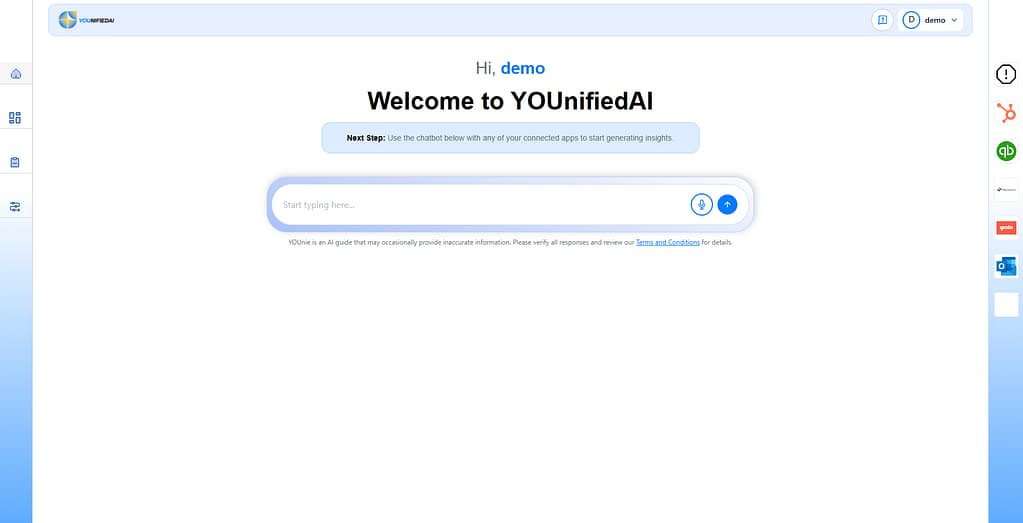
Here are a few ways YOUnie makes your day easier:
Reconcile Invoices & Payments Instantaneously
Need to check on unpaid invoices? Just type “unpaid invoices” or “show all invoices” into the search bar. YOUnie will pop up a clean, organized table pulling directly from your accounting tools like QuickBooks.
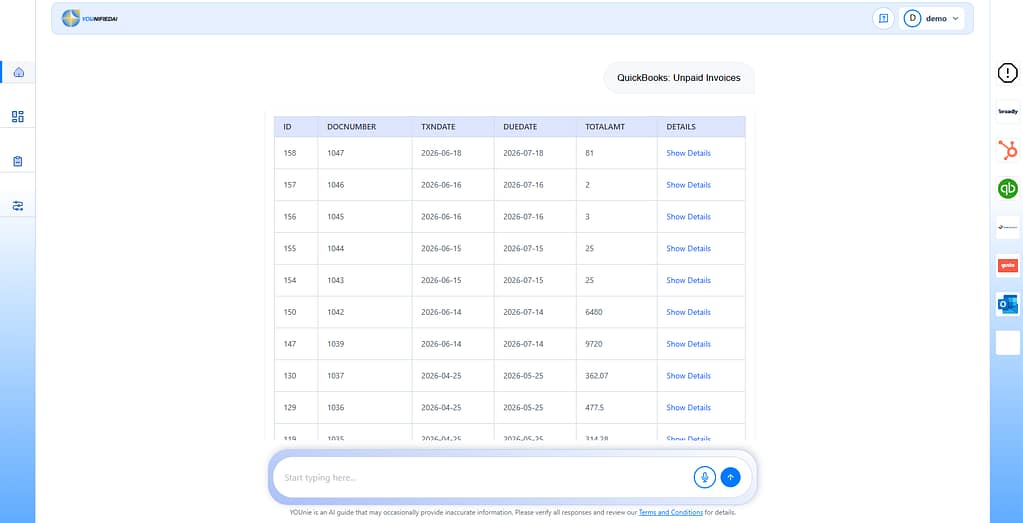
Want more details on a specific invoice? Click “Show Details” to see customer names, due dates, print status, and payment balances instantly.
Instant Data Analysis
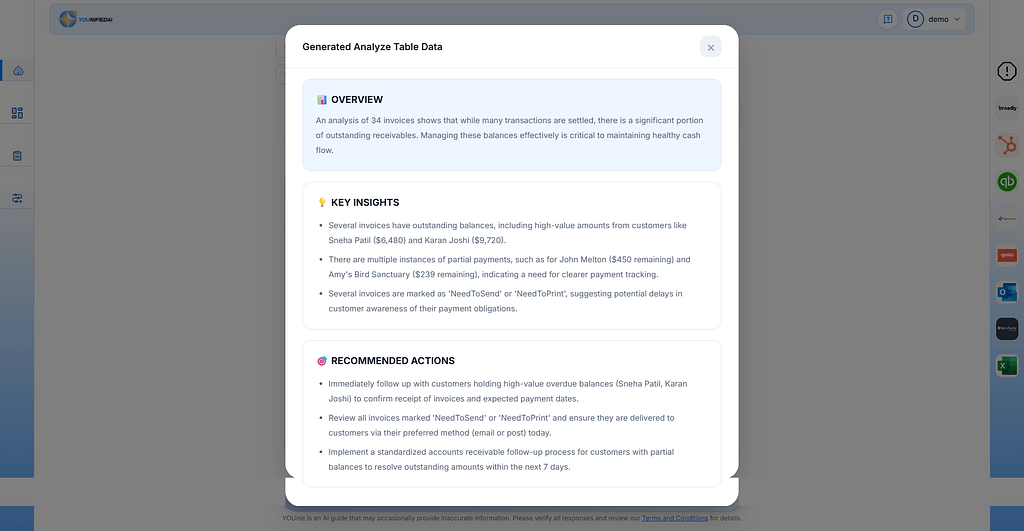
Want a deeper look? Click the “Analyze” button on any table. YOUnie will run an analysis on your data and deliver a simple summary broken down into three simple sections:
- Overview: A plain-English explanation of your numbers.
- Key Insights: Notable trends, high-value outstanding invoices, or missing payments.
- Recommended Actions: Clear steps on what to do next to improve cash flow or fix gaps.
Get Your “Revenue Truth” Snapshot
Ever wonder, “How much revenue did we actually make this week vs. what’s still pending?”
Just ask YOUnie for a “Revenue Truth Snapshot.” Select your timeframe (like Yesterday, Last 7 Days, or Last Month), and YOUnie compares data across your CRM (like HubSpot) and your accounting software (like QuickBooks or ServSuite) to give you an accurate, cross-checked summary of booked, billed, and collected revenue in seconds.
4. Need Help? We’ve Got Your Back
We designed YOUnifiedAI to be intuitive, but if you ever run into a question or need assistance:
- Click on your profile icon in the top-right header.
- Select Support from the dropdown menu.
- Fill out the quick form with your name, topic, and message, then hit “Send Request.”
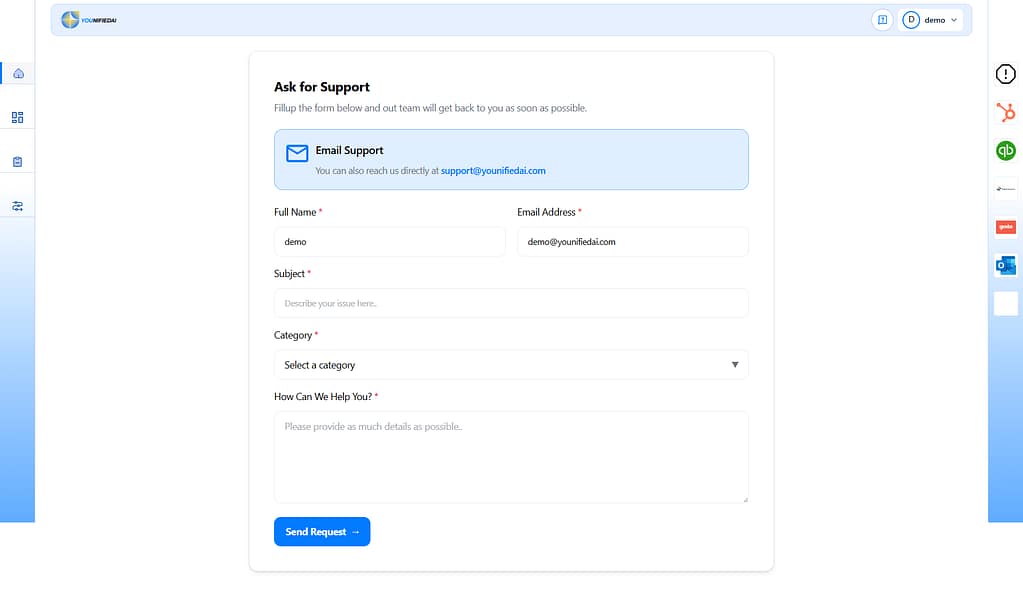
You’ll get an instant ticket ID, and our support team will reach out directly to help you out.
How YOUnifiedAI Benefits Your Business
At the end of the day, YOUnifiedAI isn’t just another software tool… it’s a time-saver. Here is why business owners love using it:
- Saves Hours Every Week: No more logging into five different platforms just to piece together a weekly status report.
- Protects Your Cash Flow: Easily spot unpaid invoices, missing billing records, or uncollected revenue before they become bigger problems.
- Clarity Over Confusion: Get plain-English answers to your business questions without needing a background in data analytics.
- All Your Tools Working Together: Your sales, marketing, operations, and finance tools finally talk to each other under one roof.
Ready to Reconcile Your Business Operations?
Taking control of your business data shouldn’t be stressful. Whether you’re a team of two or fifty, YOUnifiedAI helps you make smarter decisions faster.
Get started today or reach out to our team to see how YOUnifiedAI can transform the way you work!